
Unified inbox for Gmail and IMAP
Read personal Gmail, work Gmail and hosted email in the same message list. Open any account on its own, or group accounts into saved views in a signed-in workspace.
Windows beta waitlist
Read Gmail and work email in one unified inbox. Switch to individual accounts when you need to focus, and open saved messages offline.
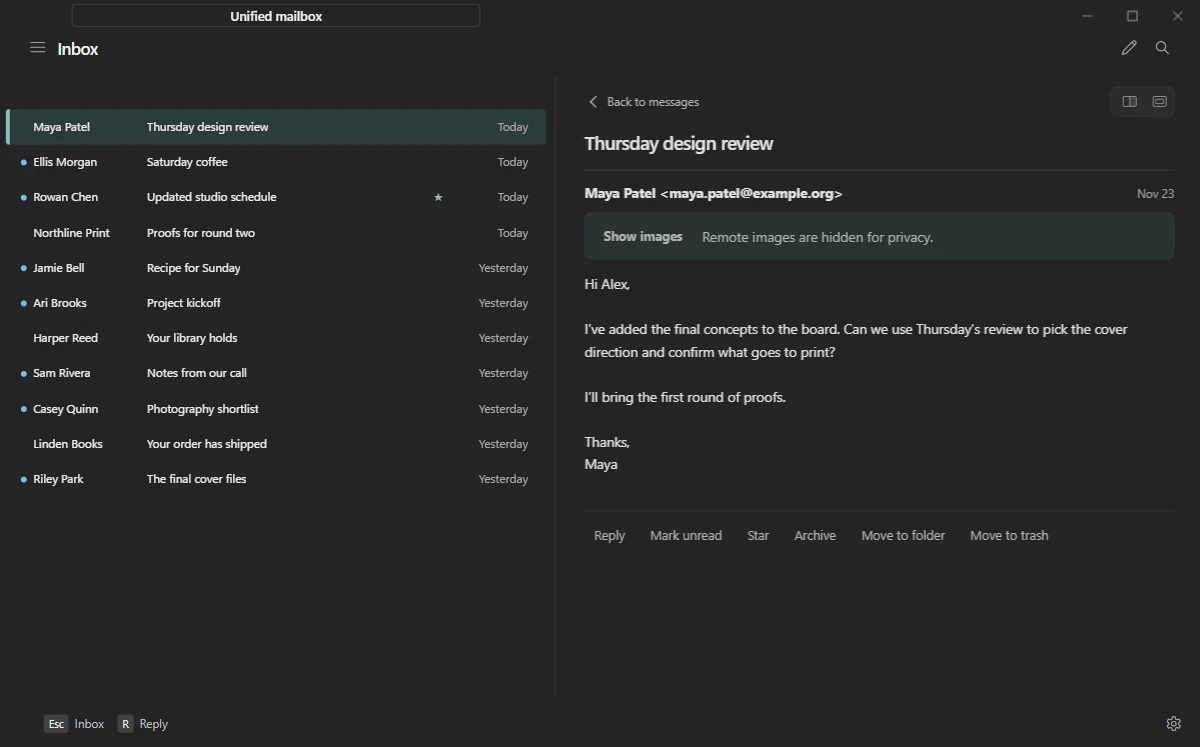
Read personal Gmail, work Gmail and hosted email in the same message list. Open any account on its own, or group accounts into saved views in a signed-in workspace.
Open messages already saved on your PC without an internet connection. New messages, online images and attachments you haven’t saved need a connection.
Press C to compose, / to search or Ctrl + K to find a command. Use the number keys to switch mailboxes from the inbox.
Choose the sending account and use a signature for each mailbox. Undo Send gives you seven seconds to reopen a message before it goes out.
Keep the inbox beside a reading pane or open a message in a centered view. Choose light or dark appearance and control desktop alerts by account.
Swftink uses Microsoft Defender to scan attachments before saving them on Windows. It checks the website domain for known threats before opening links from messages.